Online Voice MemoGet the app

Record a voice memo online

A free voice recorder that runs in your browser. No sign-up, no app to install, and the recording never leaves your device.

0:00

Tap the red button to start. Your browser will ask to use the microphone.

Nothing is uploaded. Your recording stays on this device.

How it works

  1. Tap the red buttonYour browser asks to use the microphone. Allow it, and recording starts. Pause and resume as often as you like.
  2. Trim the endsTap the square to stop. Drag the two handles on the waveform to cut silence or a false start, and press play to check.
  3. Save or shareSave as MP3 or WAV, or keep the original file. On a phone you can send it straight to Messages, Mail or the Files app.

What you get

Recording on a phone: two things to know

Keep the page open and on screen. A phone browser can stop listening to the microphone when you lock the phone or switch to another app. This page asks the phone to keep the screen awake while it records, but it cannot record in the background.

For long recordings, use an app. A lecture or a long meeting is safer in the Voice Memos app that comes with every iPhone. See how to record audio on iPhone. To get the words out of a recording afterwards, see how to transcribe a voice memo.

More tools and guides

AI Note Taker Voice Recorder for iPhone

From recording to notes, on your iPhone

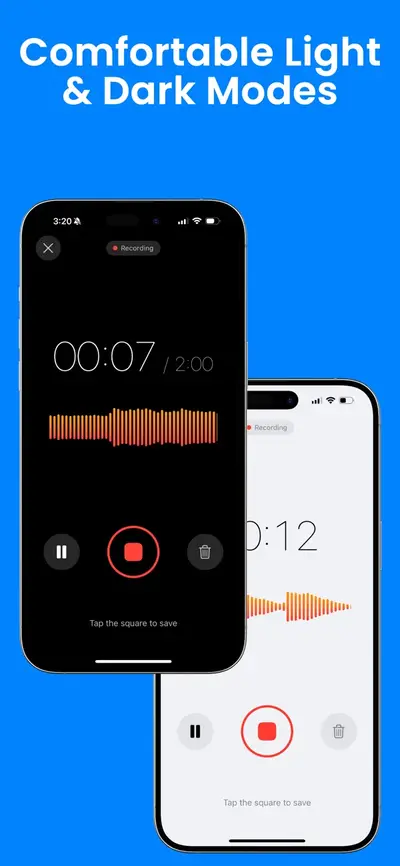
  • Record for up to 4 hours, with pause and resume
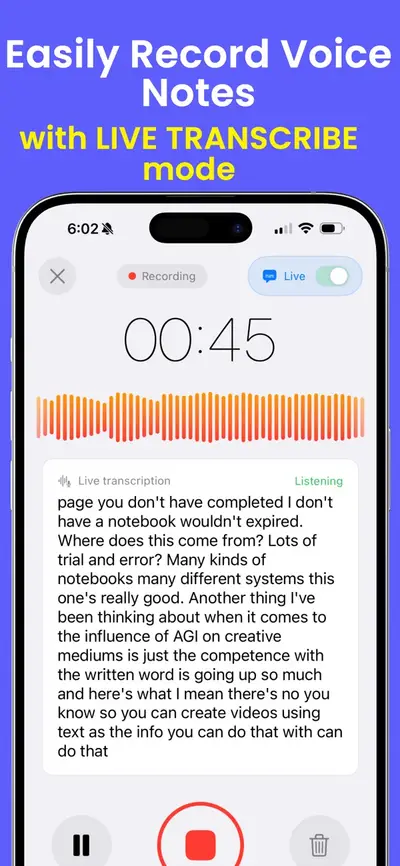
  • See a live transcript while you record
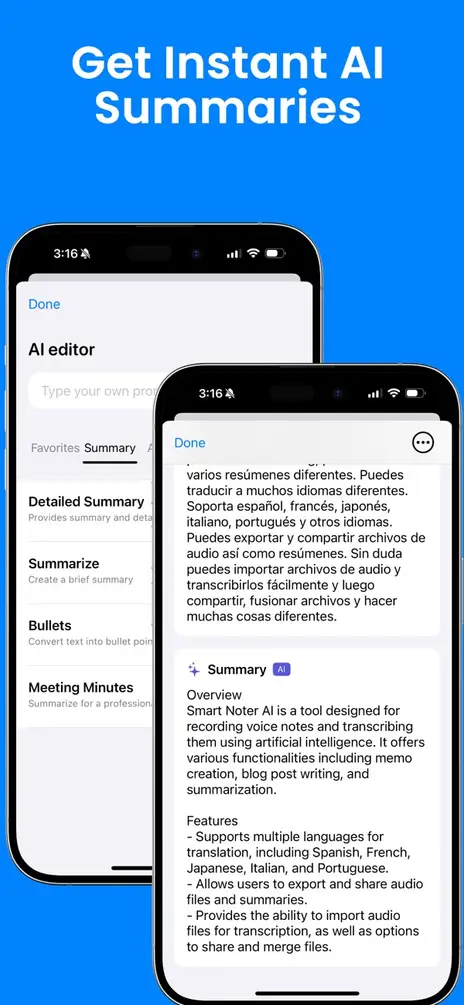
  • Turn any recording into a summary, bullet points or meeting minutes
  • Import an audio file from the Files app (imported audio is transcribed as English)
  • Translate notes, organize them in folders, and share them as text or PDF

Download AI Note Taker Voice Recorder on the App Store

Scan with your iPhone camera to get the app

Free to download. Using the app needs a subscription. Transcripts and summaries are made with OpenAI after you agree in the app. On your Home Screen the app is named Smart Noter.
Questions and answers

Is this voice recorder free?

Yes. There is no account, no sign-up and no limit on how many recordings you make. There are no ads on the page.

Where is my recording stored?

On your own device. The recording is made by your browser and kept in this browser’s storage so that a reload does not lose it. It is never uploaded, and we cannot see or hear it. Because it lives only in this browser, and a browser can clear its storage, save or share anything you need to keep.

Which file formats can I save?

MP3, which plays almost everywhere, WAV, which is uncompressed, or the original file exactly as your browser recorded it. Its type depends on the browser: M4A in Safari, and M4A or WebM in others. The save button shows which one you have.

How long can I record?

There is no fixed limit, but a browser keeps the recording in memory, so very long recordings depend on your device. Trimming and saving as MP3 or WAV work for recordings up to about 15 minutes on a phone and 40 minutes on a computer. Longer ones can be saved as the original file.

Does it work on iPhone?

Yes, in Safari. Tap the red button and allow the microphone. Keep this page open and on screen while you record: a phone browser can stop listening when you lock the phone or switch to another app. For long recordings, the Voice Memos app that comes with your iPhone is the better tool, and our guide shows how to use it.

How do I turn a recording into text?

On an iPhone 12 or later with iOS 18 or later, the built-in Voice Memos app can show a transcript in supported languages: see how to transcribe a voice memo. If you also want a summary or meeting minutes from the recording, that is what the AI Note Taker Voice Recorder app does.

Is the app private in the same way as this page?

No, and it is worth knowing the difference. This page keeps your recording on your device. The app makes transcripts and summaries with OpenAI, so it sends your recording and text there after you agree in the app.