Online Voice MemoGet the app

Home / Voice memo to MP3

Convert a voice memo to MP3

Pick an M4A voice memo and get an MP3 that plays anywhere. It is converted on your device, so the file is never uploaded.

The file is read by your browser and never uploaded.

How to convert a voice memo

  1. Choose the filePick the recording from your device. On a computer you can also drag it onto the box.
  2. Trim if you wantDrag the handles on the waveform to drop the parts you do not need.
  3. Save as MP3A short memo takes a few seconds; long ones take longer. On a phone you can share the MP3 straight away.

Getting a voice memo out of your iPhone

A recording in the Voice Memos app has to be shared out of the app before another tool can open it. In Voice Memos, tap the recording, tap the More Actions button, then tap Share. Tap Options and choose Rendered to get a single M4A file, then send or save it where you can pick it up. Our guide to sending a voice memo has the steps.

Why convert to MP3 at all?

Most phones and computers play M4A files without trouble. MP3 is the safer choice when a website, an older device, a car stereo or an editing program asks for it by name, because MP3 has been supported almost everywhere for decades. The sound of speech at this setting is hard to tell apart from the original.

More tools and guides

AI Note Taker Voice Recorder for iPhone

From recording to notes, on your iPhone

  • Record for up to 4 hours, with pause and resume
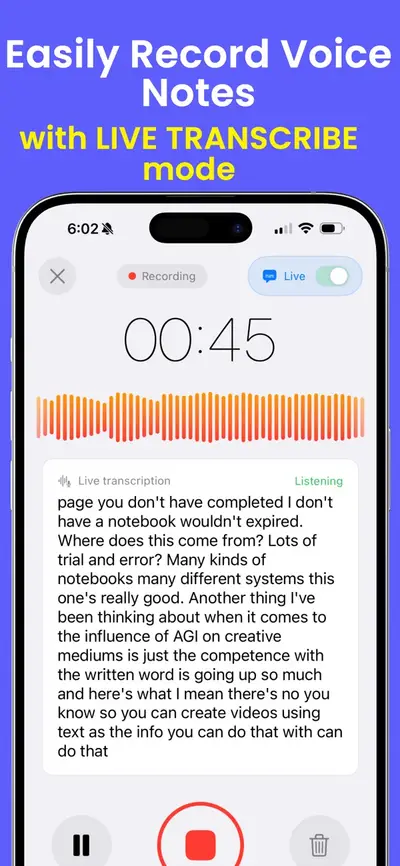
  • See a live transcript while you record
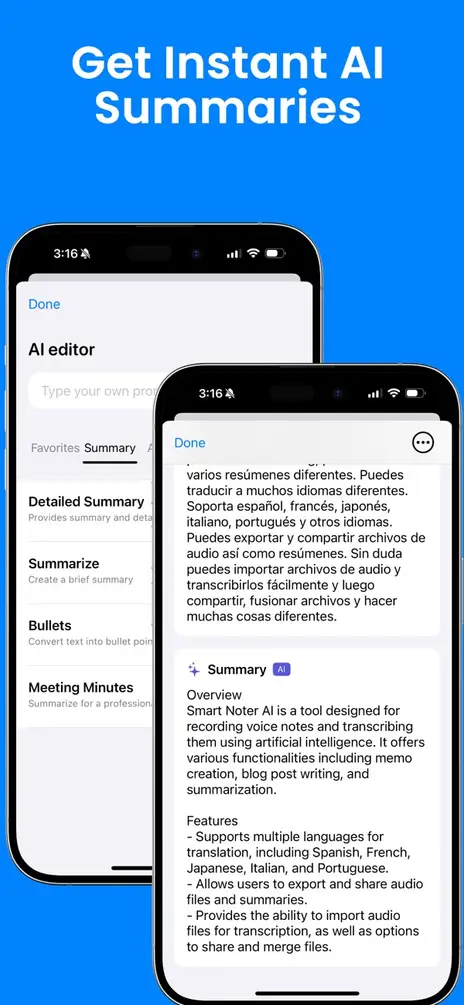
  • Turn any recording into a summary, bullet points or meeting minutes
  • Import an audio file from the Files app (imported audio is transcribed as English)
  • Translate notes, organize them in folders, and share them as text or PDF

Download AI Note Taker Voice Recorder on the App Store

Scan with your iPhone camera to get the app

Free to download. Using the app needs a subscription. Transcripts and summaries are made with OpenAI after you agree in the app. On your Home Screen the app is named Smart Noter.
Questions and answers

Is my voice memo uploaded?

No. Your browser opens the file, converts it and hands you the MP3. The audio never leaves your device, which is also why there is no waiting for an upload.

Which files can I convert?

M4A files, which is what voice memos usually are, plus MP3, WAV, AAC and most other audio files your browser can play. If a voice memo is not read, share it again from Voice Memos and choose Options, then Rendered, which makes a single M4A file.

What quality is the MP3?

128 kbps, at the sample rate your browser decodes the file to. That is a common setting for speech and keeps the file small. A recording with two different channels stays stereo; one where both channels are the same is saved as mono.

Can I cut the recording first?

Yes. Drag the handles at the two ends of the waveform, press play to check, then save. Only the part between the handles goes into the MP3.

Is there a limit?

Yes. The page works in your device’s memory, so it handles recordings up to about 15 minutes long on a phone and 40 minutes on a computer. It tells you if a file is too long.

Can I save a WAV instead?

Yes. Press WAV instead of MP3. A WAV is uncompressed, so it is about 5 to 12 times larger than the MP3, depending on whether the sound is mono or stereo.